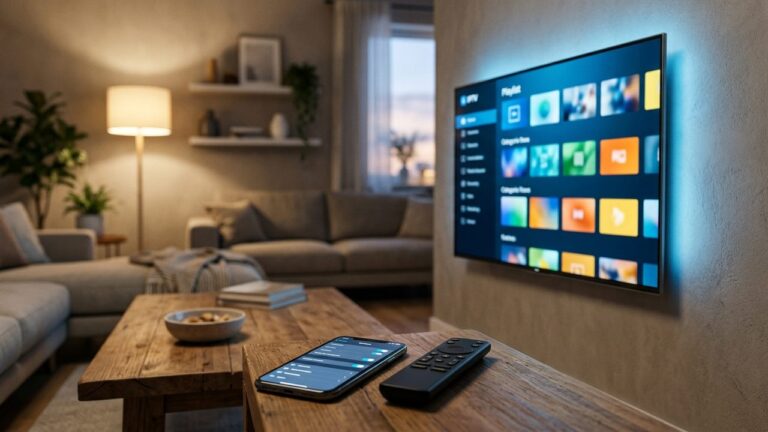
Greek TV on Firestick: Step-by-Step Fire TV Stick Setup Guide
Watching Greek TV on Firestick takes about fifteen minutes the first time. You install a compatible IPTV player app on your Amazon Fire TV Stick, add your SetIPTV login and the channel list appears. This guide walks through every step, explains the unknown sources setting in plain terms and finishes with remote typing and performance tips.
The Fire TV Stick is a popular choice for this, because it is affordable, portable and plugs into any TV with an HDMI port. You can read more about the hardware family on the Amazon Fire TV page.
What you need before you start
- A Fire TV Stick connected to your TV and signed in to an Amazon account.
- Your SetIPTV login, either an M3U link or Xtream codes (server, username and password). It arrives on WhatsApp, usually within minutes of payment.
- A stable connection: around 10 Mbps for HD and 25 Mbps or more for 4K.
- A phone nearby, which makes typing long details much easier.
Not subscribed yet? You can test everything first with a free trial; just message support on WhatsApp via the contact page.
Step 1: Look for a player app in the Amazon Appstore
First, check the official store. On the Fire TV home screen, open Find, then Search, and type “IPTV player”. Several compatible IPTV player apps are usually listed there, and installing from the store is the simplest route. If you find one that supports M3U or Xtream codes, install it and skip to Step 3.
SetIPTV does not supply its own app. Instead, the login works in most common players, so you can choose the interface you like. Our article on choosing a Greek TV app compares what to look for.
Step 2: Install an app from outside the store (optional)
Some player apps are distributed only from the developer’s own website. In that case, Fire TV needs your permission to install them. This is a standard Android setting, not a hack, yet it deserves care.
- Install the free Downloader app from the Amazon Appstore.
- Go to Settings > My Fire TV. If you do not see Developer options, open About and click your device name seven times to reveal it.
- Open Developer options > Install unknown apps and turn it on for Downloader only.
- Open Downloader, type the download address published by the app developer and install the file.
- When installation finishes, delete the installer file to free up storage.
A word of caution: only install apps from their official source, and avoid modified copies shared on forums. Moreover, you can switch the unknown apps permission off again once your player is installed.
Step 3: Set up Greek TV on Firestick with your login
Open the player app and choose to add a playlist or a new source. Then pick the login type you received: If you are weighing a stick against a set-top box, our TV box buying guide compares the main options.
- Xtream codes: enter the server address, username and password. This is usually the quicker option on a remote, and it often loads the EPG automatically.
- M3U link: paste or type the full playlist URL. If your app has a separate EPG field, add the guide link supplied by support.
Next, wait while the app loads 52,728 live channels and the 169,076 movies and 44,465 series library. The first load can take a minute or two. After that, open the Greek groups, add favourites and check that the programme guide shows now-and-next listings where supported.
Once your favourites are in place, Greek TV on Firestick works much like a regular TV box. Press up and down to change channels, and open the guide from the app menu. In addition, most players let you set a favourites group as the start screen, so the stick opens straight on your Greek channels.
Remote typing tips
Typing a long URL with the on-screen keyboard is the most tedious part of the job. Fortunately, there are easier ways:
- Use your phone as a keyboard. The free Amazon Fire TV app for iPhone and Android connects to the stick on the same Wi-Fi and lets you type with your phone keyboard.
- Prefer Xtream codes. Three short fields are far easier than one long playlist address.
- Use the remote’s microphone only for app searches; voice typing is unreliable for passwords and URLs.
- Double-check characters such as a lowercase l versus a capital I, and avoid stray spaces at the end.
If the login fails twice, send a screenshot to support on WhatsApp. In most cases, it is a single mistyped character.
Performance tips for smooth Greek TV on Firestick
The stick is small, so a little housekeeping goes a long way. As a result of these tweaks, channels switch faster and buffering drops noticeably:
- Connect by cable or 5 GHz Wi-Fi. An Ethernet adapter for Fire TV gives the most stable stream, especially for 4K.
- Clear the app cache under Settings > Applications > Manage installed applications if the guide becomes sluggish.
- Uninstall apps you never use, because low storage slows the whole device.
- Restart the stick weekly from Settings > My Fire TV > Restart.
- Pick HD over 4K on slower lines; a steady HD picture beats a stuttering 4K one.
- Keep the stick away from the back of the TV using the HDMI extender, which improves the Wi-Fi signal.
If problems continue, our guide to fixing IPTV buffering covers router and app settings in more depth. Furthermore, the setup guide has steps for other devices in your home.
Prefer to skip the stick? The Smart TV guide covers installing a player directly on Samsung, LG and Android TV. Either way, you can check your setup with a free trial.
Get Greek TV on Firestick today
Plans start at $12.99 for one month, with 3, 6 and 12-month options up to $74.99, all as one-time payments. Compare them on the pricing page, or ask for a free trial on WhatsApp through the contact page and test your Fire TV Stick first.